Careers
Follow Us
08:43 PST
Los Angeles, USA
Los Angeles, USA
Payment — MetaMask
How to make a payment using MetaMask. All you need is one of the most popular crypto wallets for storing and buying NFTs — download it here.
Click to buy cryptocurrency
Buy the required amount of ETH (Ethereum) cryptocurrency to pay for the service.
Choose a payment method
WYRE, TRANSAK, Apple Pay and more — try any method available in your country. They all support VISA, MasterCard, e-banking and more.
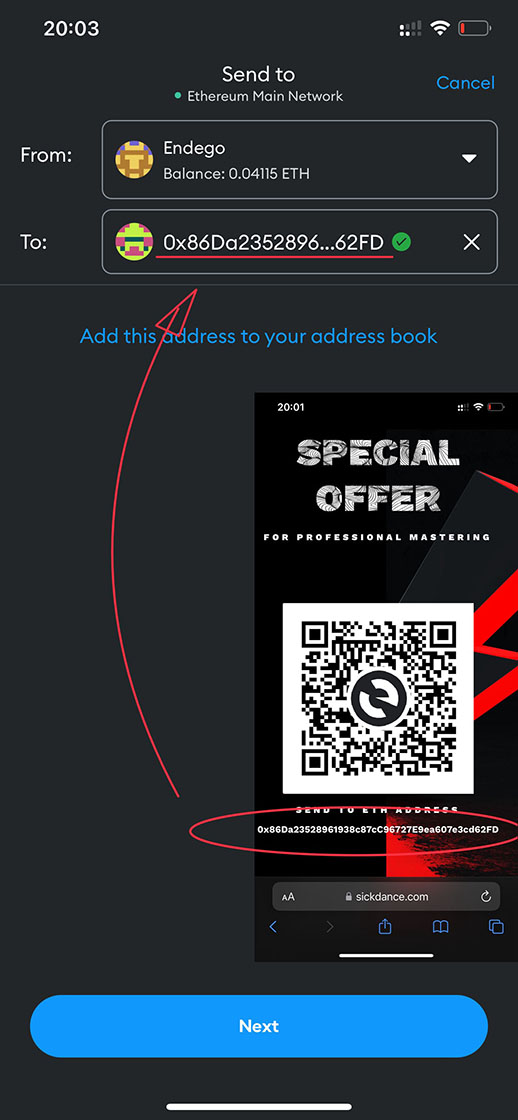
Send your payment
Copy our crypto account below and send your payment. Then let us know so we can confirm.
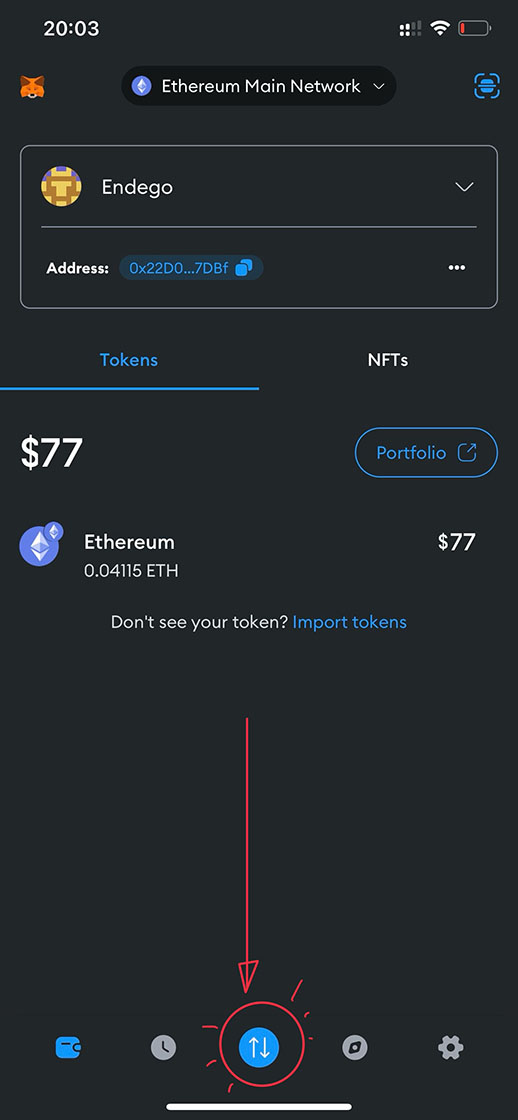
Open the app
Launch MetaMask on your phone or browser and tap the Buy / Swap button on the home screen.
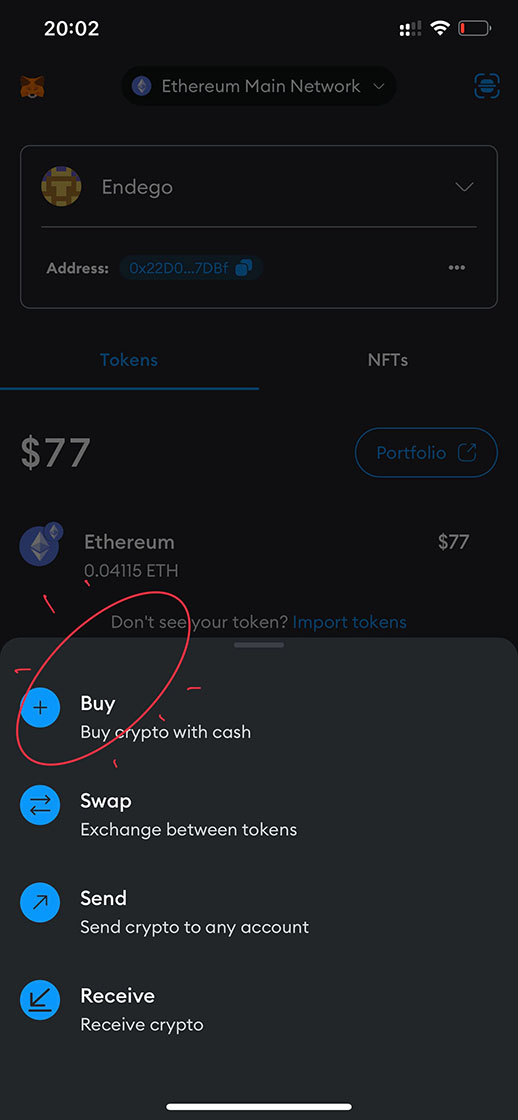
Buy crypto
Select Buy to purchase ETH (Ethereum) directly with your card or bank — no exchange account needed.
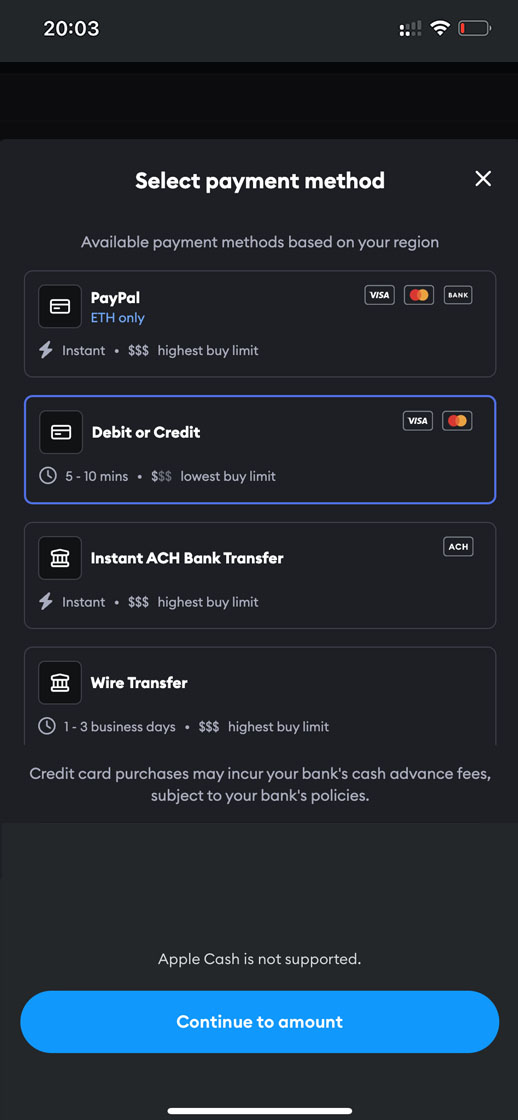
Payment method
Choose the provider available in your country — WYRE, TRANSAK, Apple Pay and more. They accept VISA, MasterCard and e-banking.
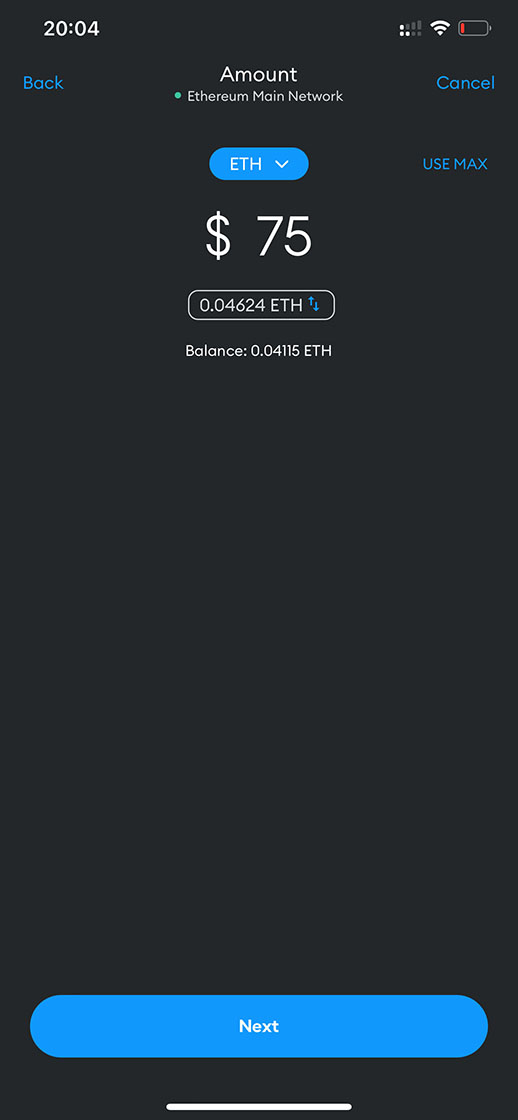
Amount
Type the amount that equals $75 in ETH. A small network fee (gas) is added by MetaMask — that's normal.
Send
Once the ETH lands in your wallet, tap Send and paste our address below (or scan the QR). Then message us to confirm.
Our bank account in cryptocurrency (ETH)
If your transactions in MetaMask get stuck or get rejected, make sure your balance is adequate and your gas price and limit are OK — you may have a problem with an incorrect nonce value. Read the MetaMask help article.